
- macOS
- Local-first
- No account
Your AI coding limits, all in one place.
Track Codex and Claude Code usage from one native Mac app.
Free, with every feature. The app's interface is currently Korean only.
Only what you need, on one screen
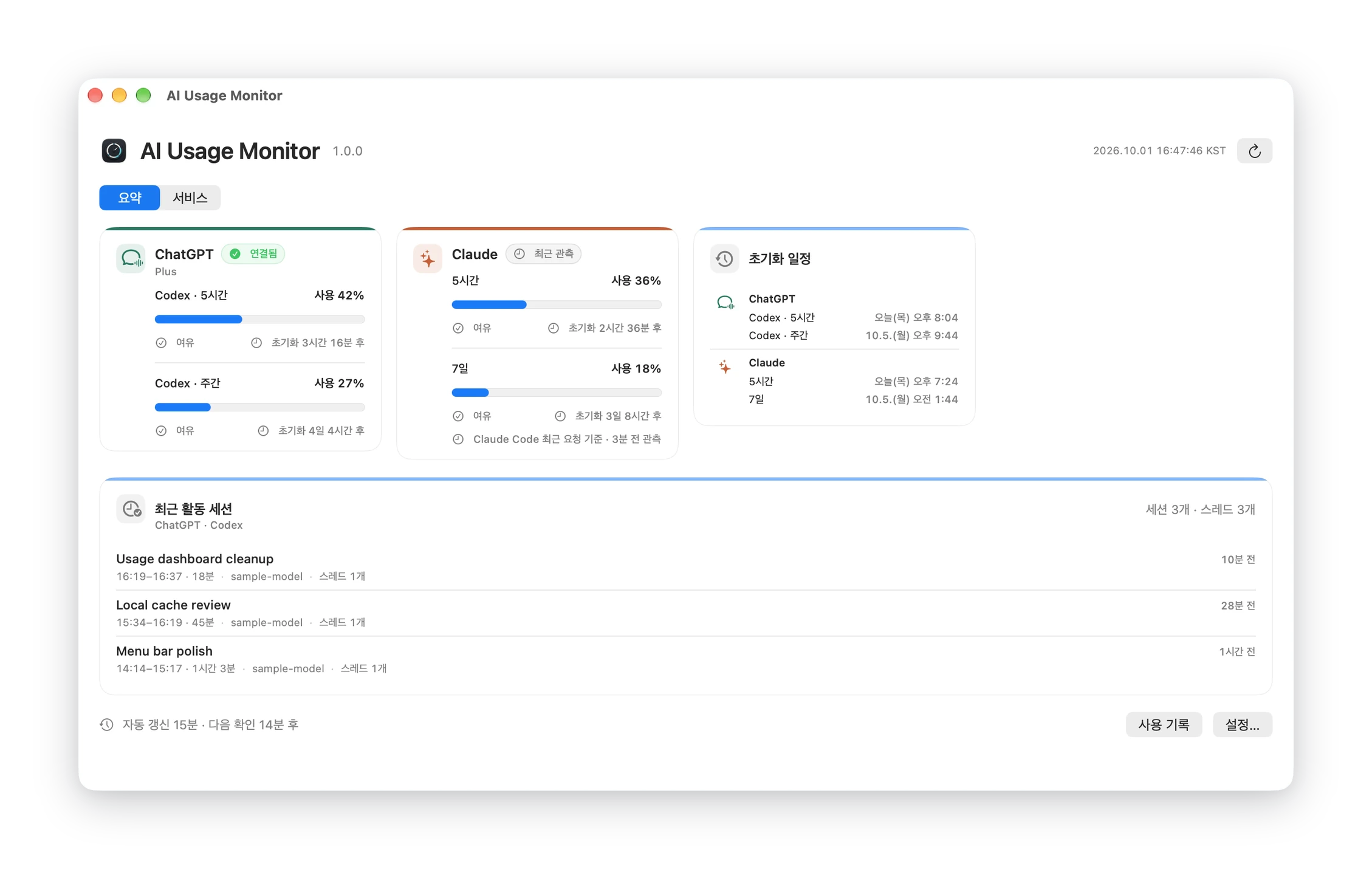
One screen
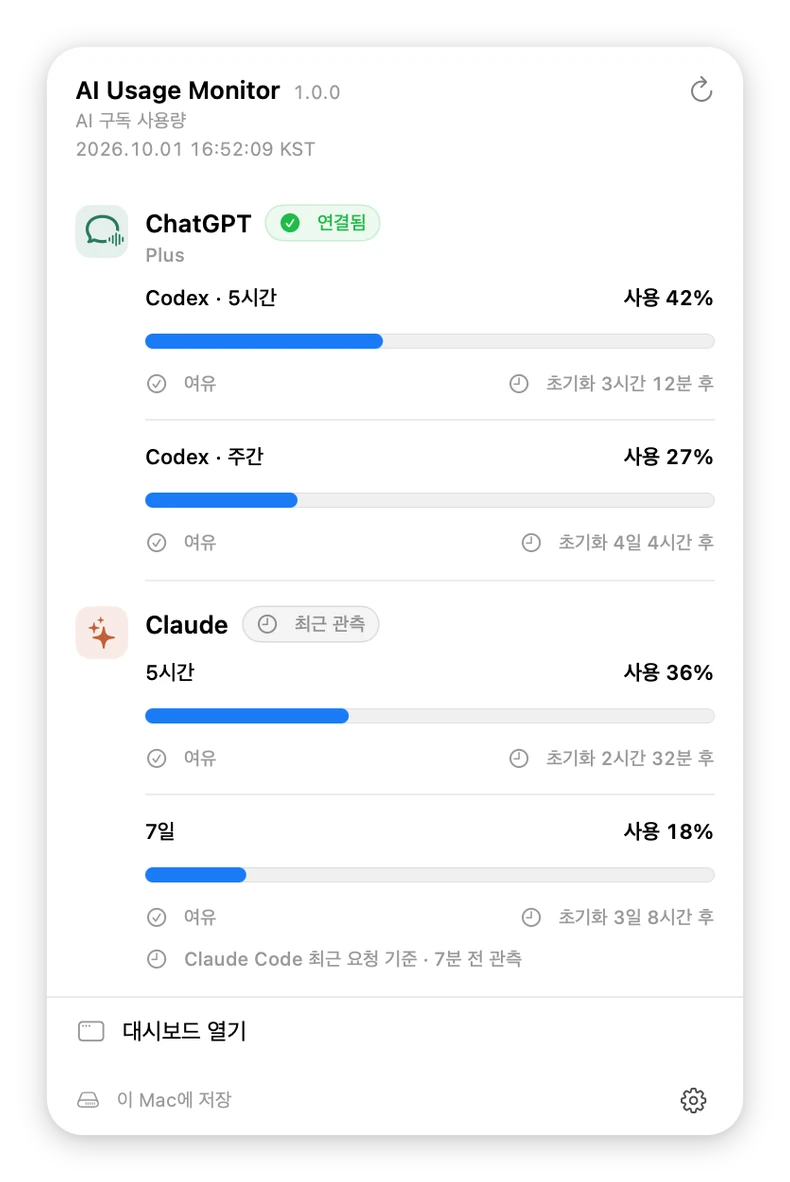
See Codex and Claude Code usage side by side, with the next reset time.
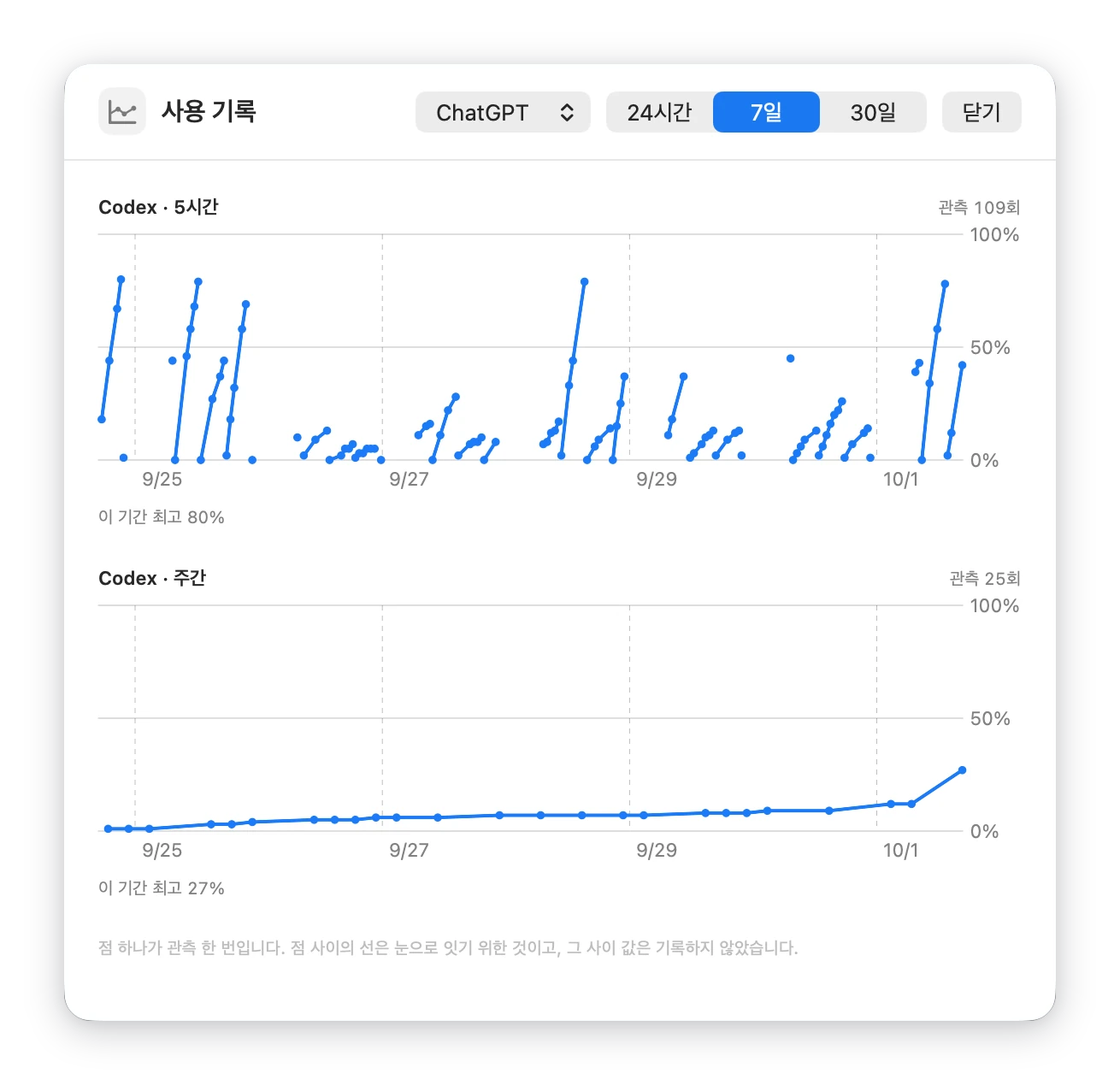
Usage history
Look at how your usage moved over 24 hours, 7 days and 30 days.
Recent activity
Skim your recent Codex sessions with their times.
Menu bar
Check current usage from the menu bar without opening the app.
A closer look
Both services, side by side
ChatGPT/Codex 5-hour and weekly limits, Claude 5-hour and 7-day usage, and the next reset schedule — gathered in one window.
The trend, not just the number
See how quickly you are using your limits over 24 hours, 7 days or 30 days. Each dot is one observation; the app does not invent values between dots.
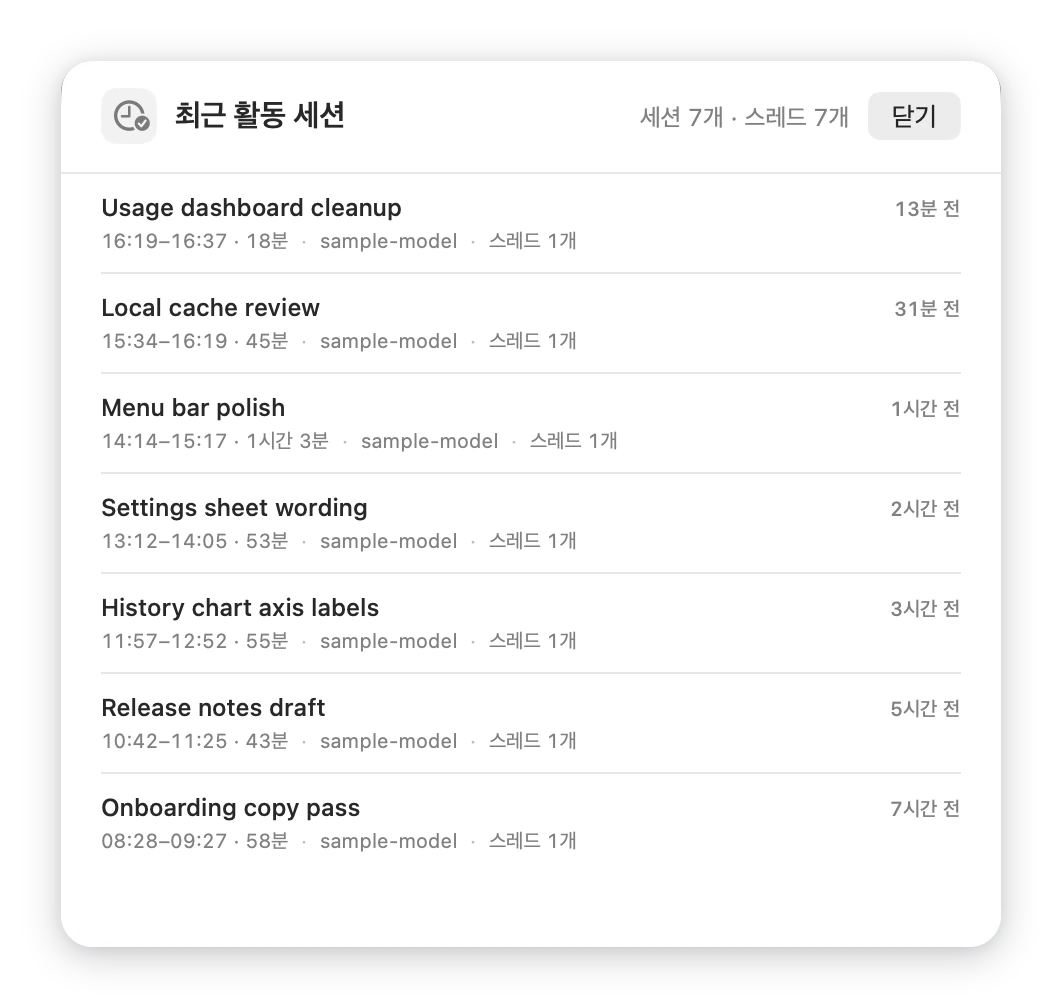
It never hides when a value was observed
The Claude figure is what Claude Code last recorded. The app always shows when it was observed, and marks it as out of date when it gets old.
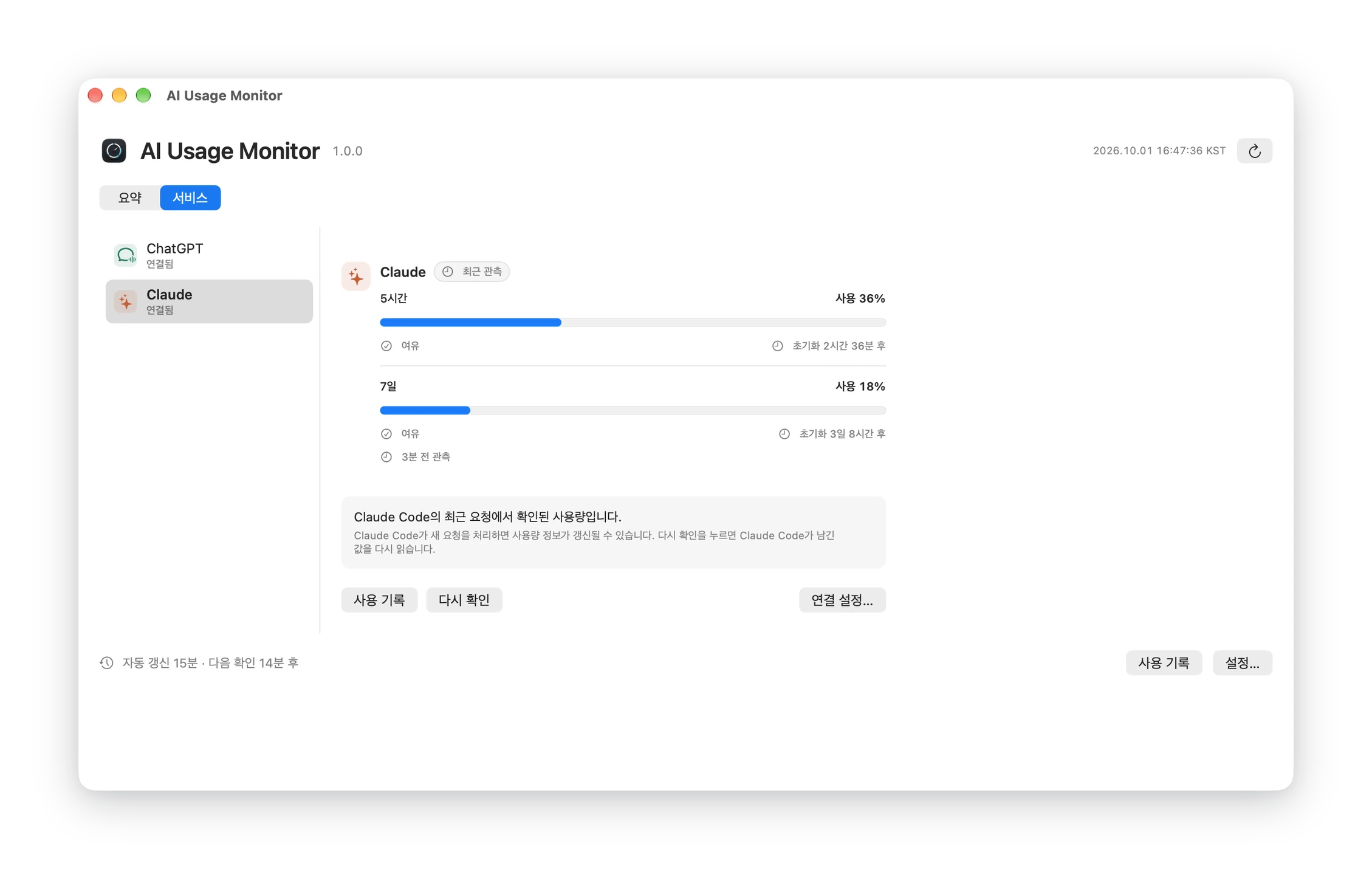
Recent Codex sessions
A list with each session's title, time span and model name. It never reads conversations or code.
Without opening the app
A small menu bar window shows usage and the time left until each reset.
Starts on your Mac, stays on your Mac.
The app has no network entitlement. It reads only usage numbers and times from the folders you pick — never conversations, code or tokens.
- No sign-up
- No analytics
- No tracking
- Reads only approved folders
- Read-only
- Collects no data
How it works
Pick a service
Choose Codex or Claude Code.
Choose the folder yourself
You select the folder each tool leaves behind. The app never searches your home folder on its own.
See it on the dashboard
Usage and reset times appear on the dashboard. The Claude figure is the value recorded at its most recent request, shown with the time it was observed.
Frequently asked questions
Do I need to sign in?
No. There is no sign-up and no sign-in.
Does it read my conversations or code?
No. From the folders you choose it reads numbers and times — percent used, window length, reset time — and, for the recent-sessions list, a session id, the time span, the model name and the short display title Codex stores.
Is the Claude figure real-time?
The app does not claim that. The Claude figure is what Claude Code recorded at its most recent request, shown with its observation time. Without a new request it can differ from Anthropic's current server-side usage, and after 15 minutes without a new observation it is marked out of date.
Is my data sent to a server?
No. The app has no network entitlement, and there is no server, account, analytics or tracking.
Can I delete the stored data?
Yes: Settings → General → Delete stored usage data. That removes the usage numbers and history stored on this Mac; your connected folders and the files in them are untouched.
Does it cost anything?
Every feature is free.
More help is on the Support page. Support page